HurriCANe Display Recovery
If a HurriCANe display is in an undefined state,
it can be restored to its factory default condition.
Applicable to these products
These steps apply when the operating system image is corrupted or needs to be updated.
The flash memory for a device’s main processor is organized as follows (hatched areas should be renewed):
loader
is damaged
PDF Reader, Browser etc.
configuration
Normally, the required program components are loaded and executed in the following order:
-
After powering on, the bootloader (a very small starter program) is executed.
If it finds a valid operating system (OS image; OS stands for Operating System), it will start it. - When the operating system starts, the kernel is loaded, core system components are initialized, followed by services, drivers, and the user interface.
- The operating system launches the application programs, including EMBU-Chart.
- EMBU-Chart loads your layout file to begin the actual measurement task.
If the OS image is defective, startup must be forced via the Easy Installer. It can read the OS image from a USB stick and reprogram it.
Depending on the condition, this process may only be monitored via a VNC viewer on a PC. The connection to the PC is established via a USB-C cable.
If the Easy Installer itself is defective, it must be reinstalled first. See HurriCANe Deep Recovery.
In the follwing steps, we will restore the OS image.
Procedure
You will need a PC, a USB stick formatted with the FAT32 file system, a USB keyboard with touchpad, and optionally a USB-A to USB-C cable.
-
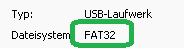
Insert the USB stick into the PC and ensure the file system is
FAT32. Right-click on the drive and select . The displayed file system must beFAT32.
- Download the update, latest version: <tbc>.
-
Extract the entire folder structure into the root directory of the USB stick. The password is
hurricane.
The folderVerdin-iMX8MP_Hurricane7-Image...should now be located in the root directory of the USB stick. -
Safely remove the USB stick from your PC.
-
Do not insert the USB stick into the display yet!
Press the power button, apply power Terminal 15, the logger’s RUN line and the power button have no effect. A power cycle is required. and release the button. The front LED blinks slowly.
After about 1 second, press the power button once again. The front LED blinks rapidly.
Do not press a third time, as this would switch to Deep Recovery mode!
-
If an image appears on the display within the next 5 seconds, you can skip the next step.
- If no image appears on the display, you must proceed using a VNC viewer (e.g. RealVNC).
Connect the display’s USB-C port to your PC using a USB-A to USB-C cable. A virtual network adapter will be created on the PC via USB, allowing access to the display at the fixed IP address192.168.11.1.
Launch the VNC viewer on your PC and, if necessary, set up a new connection to192.168.11.1.
Open the connection. You should now see the Easy Installer.
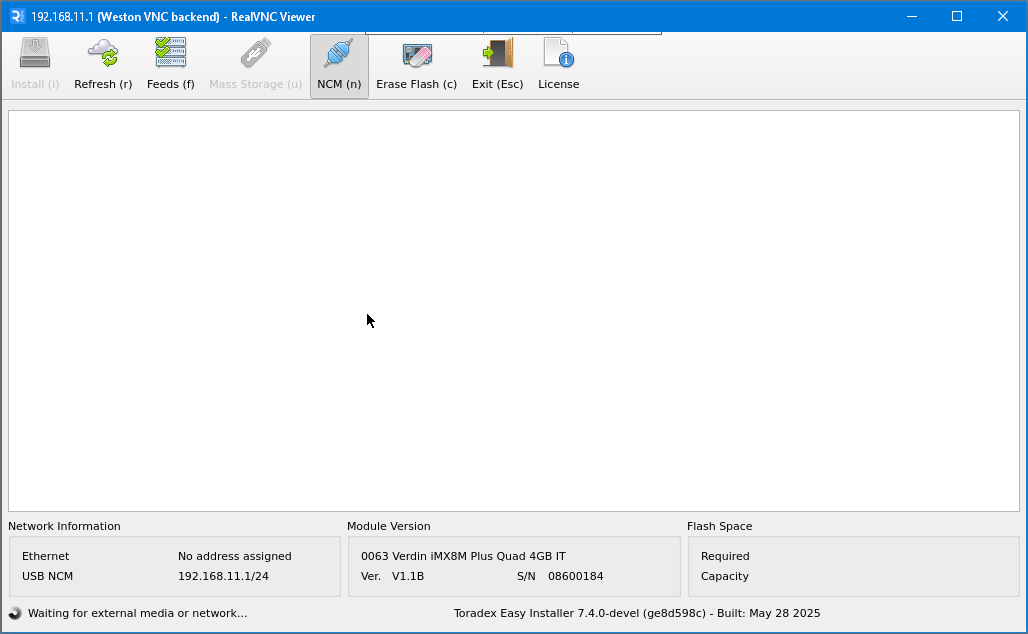
- Now insert the USB stick and wait until the installation is complete. This takes about 1–2 minutes.
- Select .
When using the VNC viewer: Since the display will no longer respond, please ignore any error messages shown.- Disconnect the power supply.
Remove the USB stick.
Reapply power after a few seconds. Terminal 15, the logger’s RUN line and the power button have no effect. A power cycle is required.- The operating system is now updated The first reboot may take longer than usual due to some pre-calculations.. Next, you must update the firmware, see HurriCANe Firmware Update
- If no image appears on the display, you must proceed using a VNC viewer (e.g. RealVNC).
Possible Complications:
-
When monitoring via RealVNC, no connection to the display can be established.
When connected to the PC via USB, the display identifies itself as a network adapter, allowing access via the fixed IP address192.168.11.1. The necessary drivers are usually available. Nevertheless, you should check whether a driver for an additional network adapter is loaded when connecting to the display.
If your PC is already part of a network using192.168.11.x, address conflicts may occur. -
Despite all preparations, the Easy Installer cannot be launched.
This indicates a defective Easy Installer. To reprogram it, follow the steps in HurriCANe Deep Recovery.