HurriCANe-Firmware
Firmware-updater for the intelligent displays HurriCANe
Applicable to these products
These steps apply when you want to benefit from the features and stability of a new application software.
The flash memory for a device’s main processor is organized as follows (hatched area to be updated):
loader
is damaged
PDF Reader, Browser etc.
configuration
After the operating system has started, these components are loaded and executed:
- The application software, including EMBU-Chart, is loaded.
- EMBU-Chart loads your layout file to begin the actual measurement task.
During the update process, running programs are terminated and their new versions are installed. Additionally, the firmware of auxiliary processors (PowerAssist Controller and CAN Controller) is updated. Your layout, if present, will be preserved.
If the display fails to start properly, updating the operating system image is recommended. See HurriCANe Display Recovery.
Procedure for an Update
You will need a PC and a USB stick formatted with the FAT32 or exFAT file system.
-
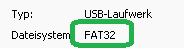
Insert the USB stick into the PC and ensure the file system is
FAT32orexFAT. To check this, right-click on the drive and select . The displayed file system must beFAT32orexFAT.
- Download the 7z archive, latest version: <tbc>.
-
Extract the archive onto the USB stick. The password is: hurricane
The fileautorun.zipshould now be located in the root directory of the stick. -
Safely remove the USB stick from your PC.
-
Insert the USB stick into a USB port of the already running display and wait for completion.
The display will re-boot.
This may take a while.
Confirm with and then . - Once you see the loaded layout, you may unplug the stick.
Alternatively, you can perform steps 1–4 in EMBU-Sketch using the menu option → .